100% web
Access from anywhere, no heavy installation.

TecnOps ITAM · a TecnoFábrica product
Inventory, disaster recovery, MDM and georeferencing in a single platform — with factory precision.
Web platform for managing assets and reversible goods, focused on traceability and auditing: registration, inventory, field collection, work orders and scheduling — plus remote equipment recovery, local and remote backups and ransomware containment.
Overview
Everything that lives today in scattered spreadsheets, emails and tickets moves into a single control panel — with an auditable history from the very first record.
Access from anywhere, no heavy installation.
Designed for reversible goods and Public-Private Partnership auditing.
ITAM + Disaster Recovery + MDM + Georeferencing.
The product
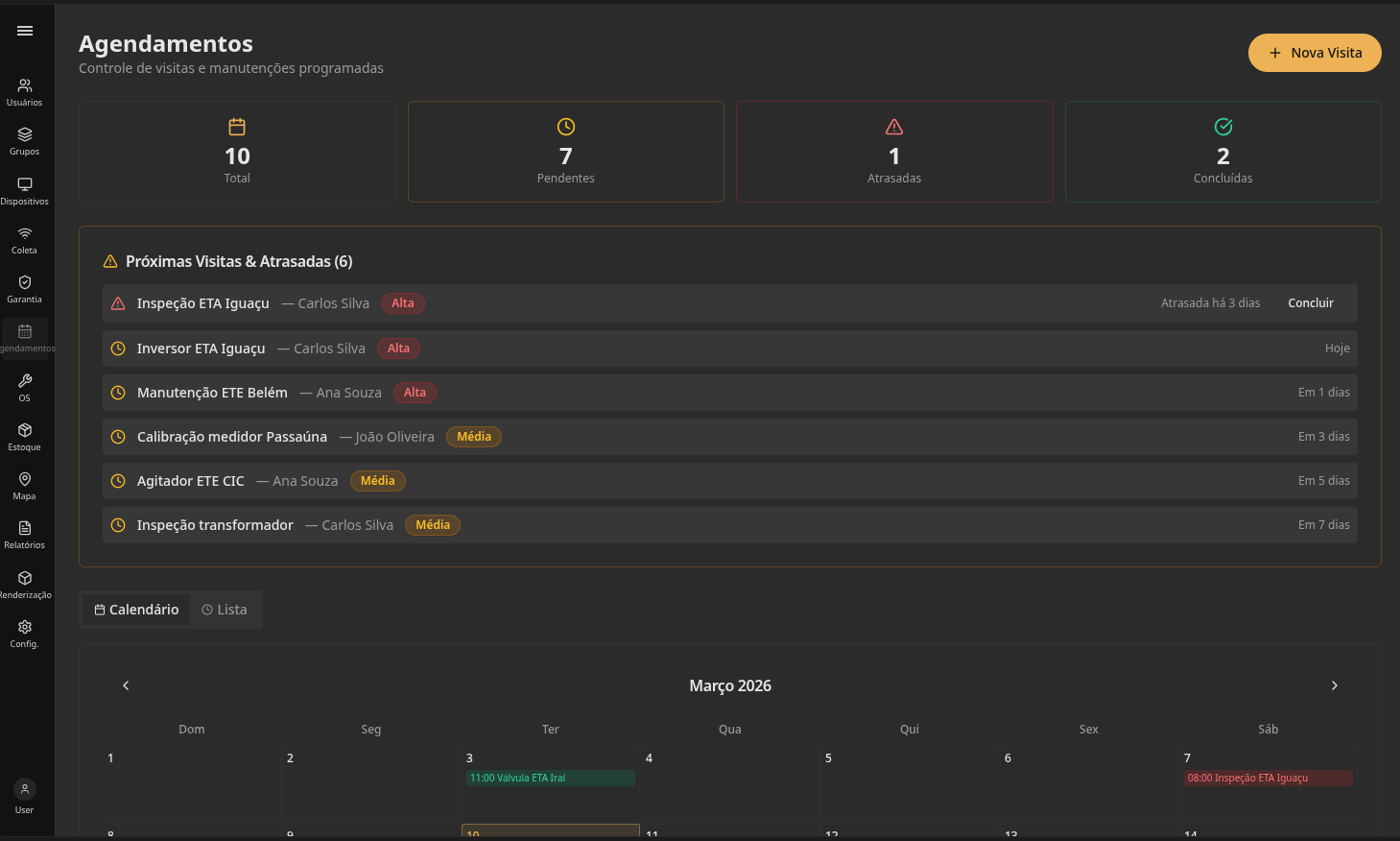
Asset inventory, registration, work orders and scheduling.
Protection, backup automation and equipment restoration.
Remote device management and ransomware containment.
Asset map, field collection, traceability and auditing.
Who it's for
Focused on operations with distributed assets: many sites, many devices, one control panel.
Reversible goods, with the traceability and auditing required by concession contracts.
Retail, franchises and branches — POS, store servers, terminals and back office.
Distributed asset base, with local operation and organized recovery in case of failure.
Pillar 1 · ITAM
Registration, inventory and real-time tracking — every asset with history, location and status always visible.
Complete registration, with history and criticality per site.
Status of every asset, always up to date.
Operational maintenance flow, no loose spreadsheets.
Pillar 2 · Georeferencing
Where each asset is right now — not in an outdated spreadsheet. Essential for accountability in PPP contracts.
Each asset's location, visualized geographically.
Field teams feed the system straight from the operation.
Auditable history, ready for accountability.
Pillar 3 · Disaster Recovery
For machines distributed across physical sites. The goal is to make Disaster Recovery operationally applicable — without promising zero downtime.
Sets policies for critical machines and creates recovery points according to the customer's routine.
Runs backups by schedule, software events, hardware changes or maintenance windows.
Triggers recovery through the operational flow, contracted support or AI built into the platform.
Backups triggered by schedule or by operational events — reducing dependence on manual action exactly at the riskiest moment.
Execution at a defined time, by site, machine or configured backup policy.
Backup before or after updates, deploys and critical application changes.
Backup around replacements, repairs and relevant physical changes to equipment.
Pillar 4 · MDM
When the incident happens far from the IT team, MDM makes it possible to act without depending on someone physically on site.
Triggers equipment recovery without physical travel.
Isolation and fast response to security incidents on devices.
Combined coverage — resilience even without constant connectivity.
Efficiency, control and adaptation to different network types — from a store's back office to a remote site's server.
Lightweight client for machines with different hardware profiles.
Greater communication control across varied network environments.
Suitable for local installs, segmented networks and heterogeneous environments.
Integrated with backup policies, automation and assisted restoration.
Governance
Every customer needs a defined response flow before the first incident happens.
Which machines and sites recover first.
Who authorizes restorations and critical actions.
When to use AI, support or an internal process.
How to document incident, action and outcome.
How to confirm the machine is back to the expected state.
Differentiator
Queried and operated in natural language, within the permissions defined — no need to navigate through screens.
Between natural language and the platform's real functions — always within the defined permissions.
Operation
Two ways to trigger recovery, according to contract and operational policy. The choice depends on the incident response plan defined at deployment.
Deployment
Deployment depends on the reality of each customer's network, machines and operation.
Number and criticality of machines per site.
Definition of backup windows, priorities and recovery scenarios.
Connectivity, segmentation and local restrictions.
Planning integration with maintenance and support routines.
Result: a planned installation, with rules that fit the customer's environment.
Map machines, network, criticality and operation.
Define priorities, approvals, flows and support.
Install in one site or group of machines.
Configure schedules, events and backup policies.
Replicate the deployment across the remaining sites.
Why TecnOps ITAM
A TecnoFábrica product — the same team that develops it also supports deployment.
We make Disaster Recovery operationally applicable, without promising zero downtime.
Traceability designed for PPP contracts — not an add-on, but the product's foundation.
A case study before any installation — nothing goes live without a plan.
Request a POC and see TecnOps ITAM running with your own environment's data.
Request a POC